PC Santé Business · the company console
All your company’s PCs, healthy, on a single screen
Every PC gets PC Santé Premium. The manager follows the whole fleet from a web console, with no IT skills needed.
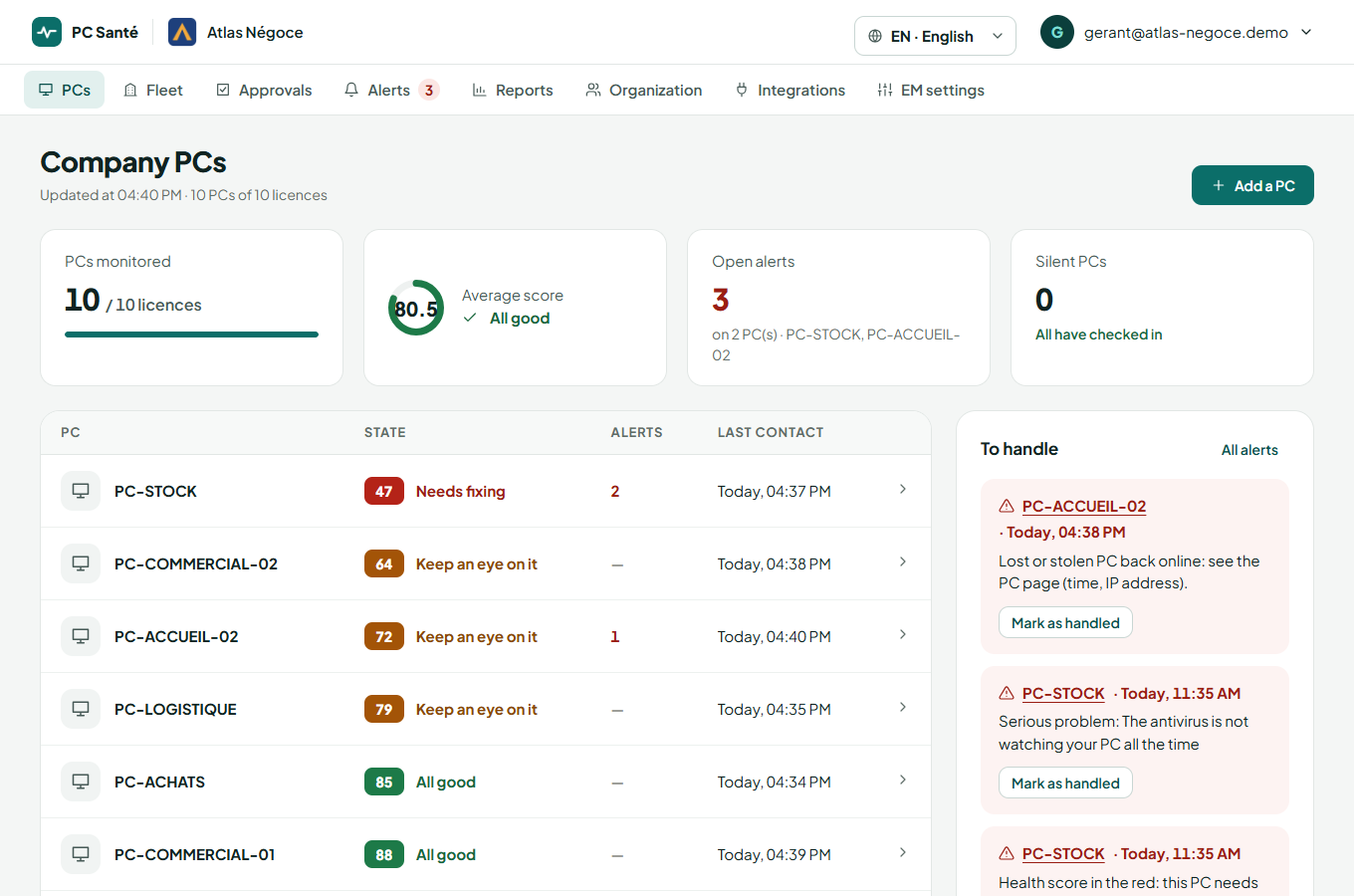
Overview
Each PC’s score, what needs fixing, and PCs that have stopped reporting.
E-mail alerts
Threat, antivirus off, unhealthy PC: the manager is warned straight away, then clicks “Mark as handled”.
Reports and monthly e-mail
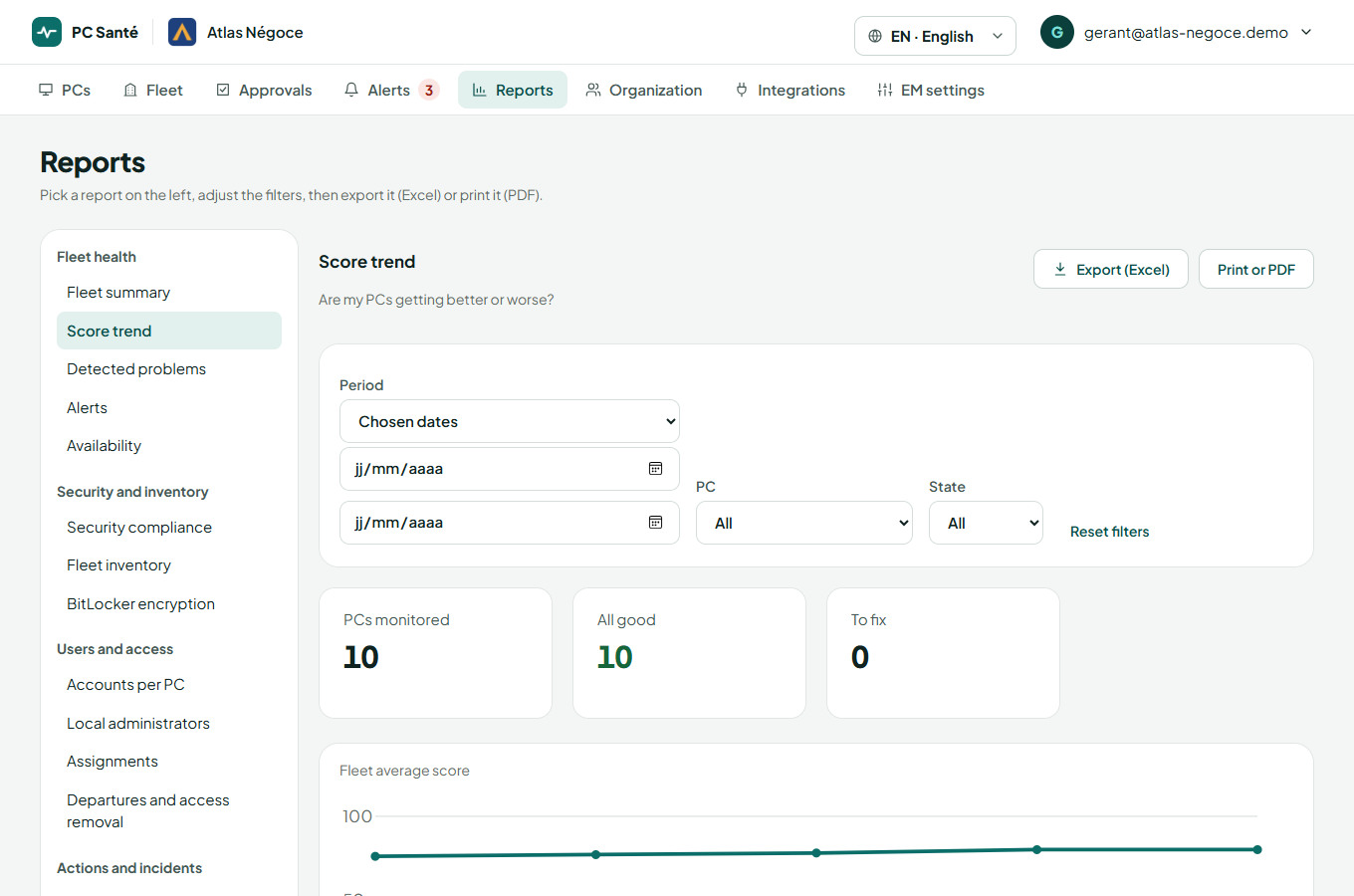
Ready-made reports to filter, export to Excel, print or save as PDF.
Separate access
A “manager” access and a “viewer” access, each with its own login. Each company only sees its own PCs.
Each PC’s sheet
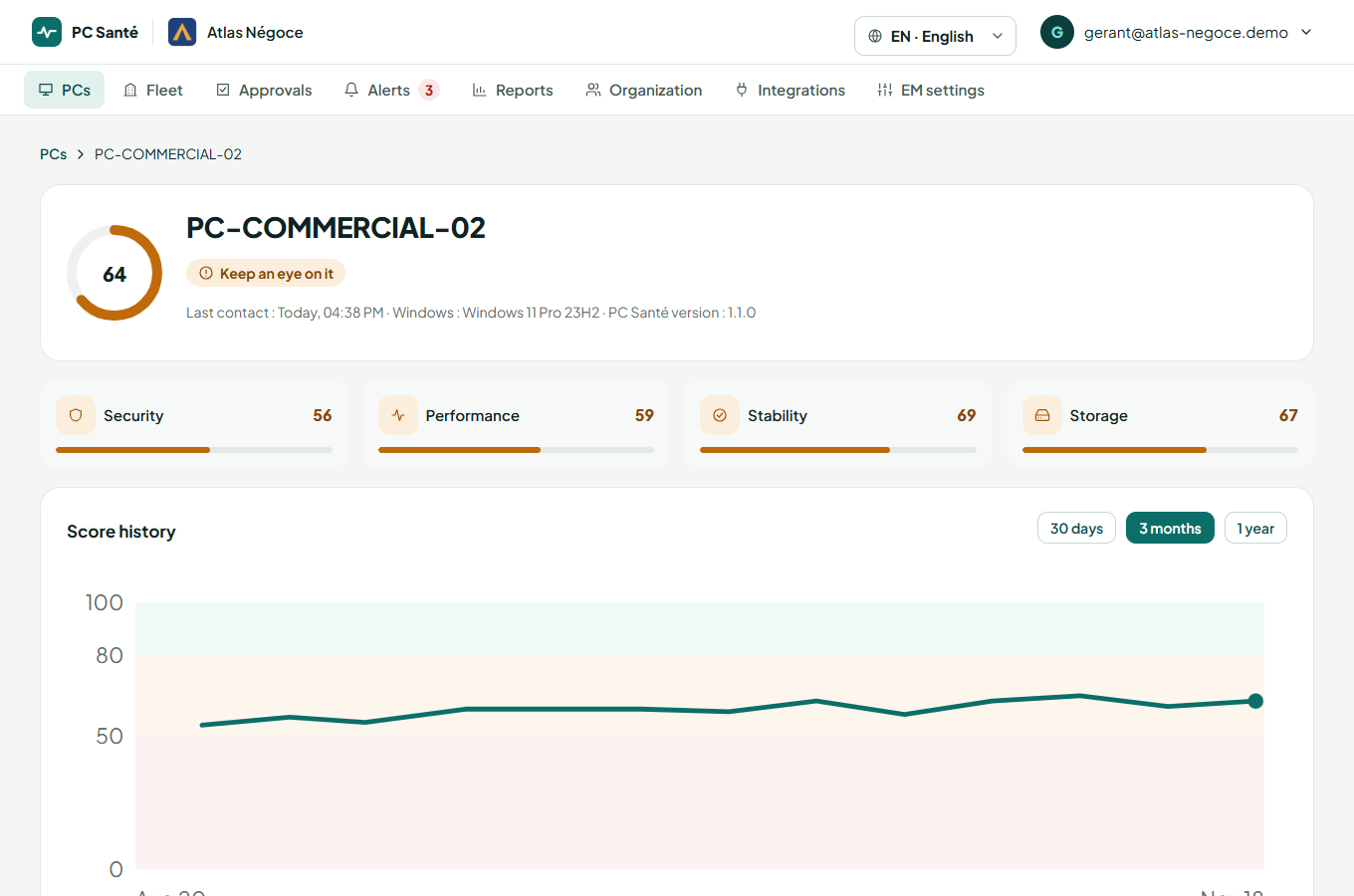
Every PC in detail, and how it changes over time
Four simple scores: security, performance, stability and storage. The curve shows whether the PC is getting better or worse, over 30 days, 3 months or a year.
Alerts
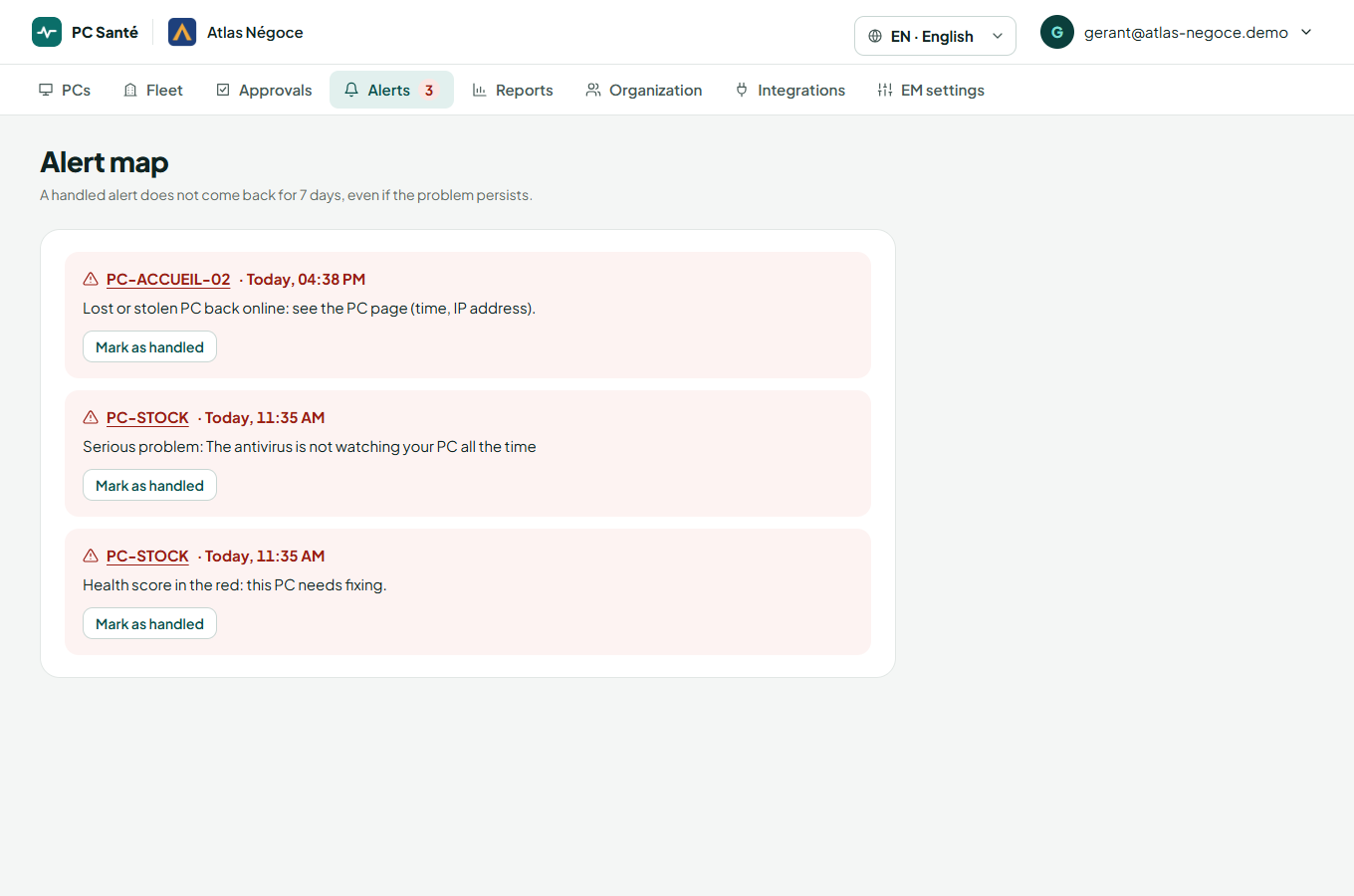
Warned in time, without being swamped
Each alert says what is wrong and on which PC, and also arrives by e-mail. Once the problem is fixed, “Mark as handled”: it does not come back for 7 days, even if the problem persists.
Reports
Up to 24 ready-made reports
Pick a report, adjust the filters (period, PC, status…), then export it to Excel, print it or save it as PDF. You also choose which ones go out every month in the summary e-mail.
- Fleet health: summary, score trend, detected problems, alerts, availability.
- Security and inventory: fleet inventory; security compliance and other checks (Endpoint Management); disk encryption (Incident response option, coming soon).
- Users and access: accounts, administrators, assignments, departures (Endpoint Management).
- Actions and incidents: command history (Endpoint Management); incidents and approvals (Incident response option, coming soon).
- Governance: audit log, licences and PCs; exchanges with ALTIVAX Keys (Endpoint Management).
8 reports with the Business console, 21 with Endpoint Management, 24 with the Incident response option.
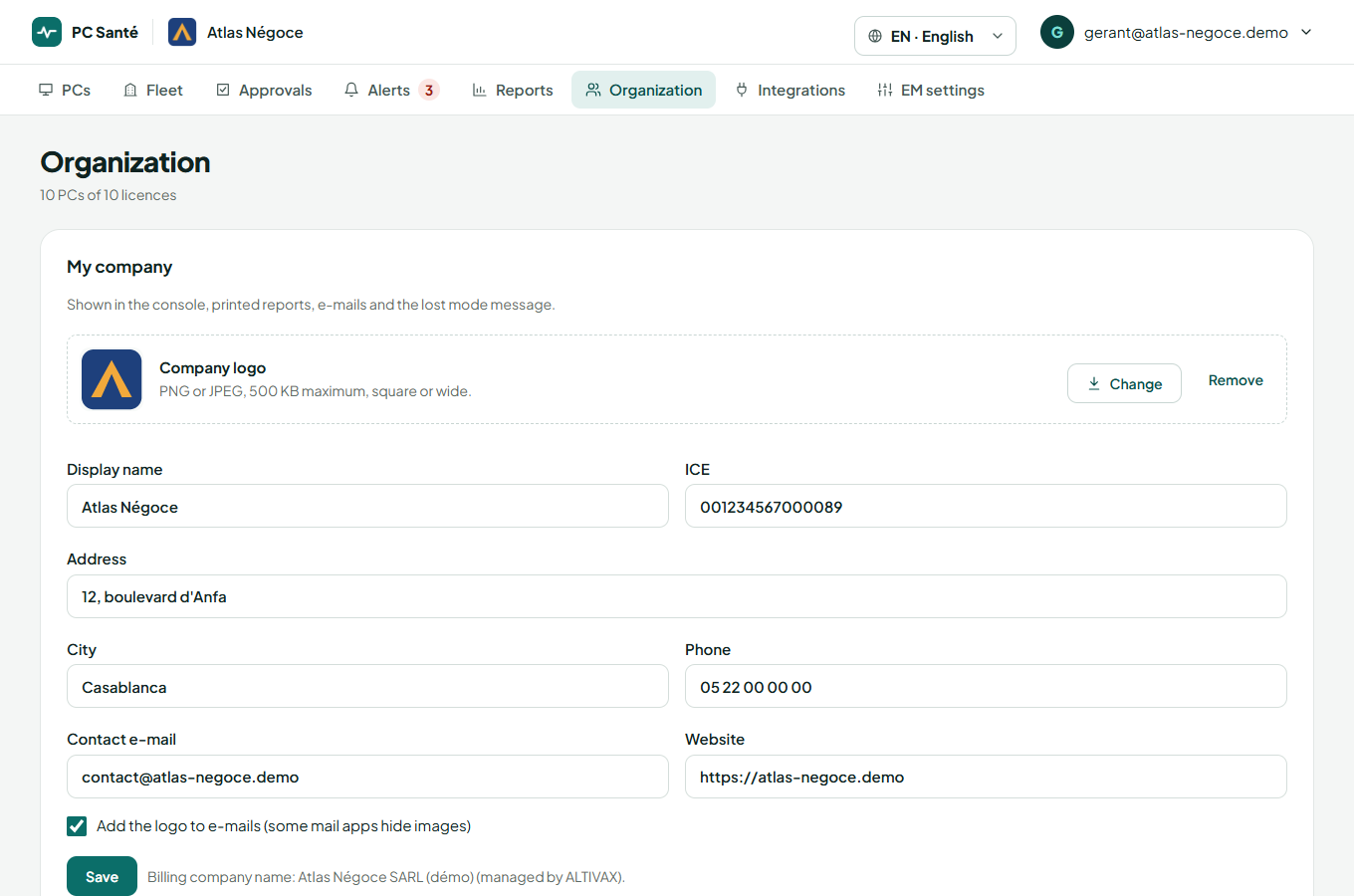
My company
Your company, your brand
Add your logo and contact details once. They appear in the console, on printed reports and in e-mails.
What your business gains
Fewer breakdowns, less waiting, lower costs
Fewer interruptions
Each PC is maintained in the background by the autopilot: your teams work instead of waiting.
Fewer calls to your IT provider
Small issues fix themselves or take one click; your IT provider steps in only when it is really needed.
Risk under control
Antivirus switched off, threat, failing disk: the manager is told straight away, before any data is lost.
For every 1 MAD spent, you get back about MAD
Indicative estimate over 46 working weeks a year, using the assumptions above: change them to match your situation. This is not a promise of results. A technician call-out costs at least 400 MAD.
On every PC
The whole Premium plan, plus what matters for a business:
- Maintenance plan: every PC checked on a schedule, with a clear improvement plan.
- Autonomous technician: it fixes what is safe on its own, asks for approval for the rest and checks every intervention.
- Laptops protected against theft: disk encryption checked, recovery key put aside.
- Files backed up: OneDrive checked folder by folder, or a weekly copy to a NAS, a disk or the company’s cloud; restore points kept separate.
- Alerts people understand: “Sage 100c Accounting is not responding”, not a technical name.
- Engineer plan: Autonomous engineer, “Describe your problem” with more than 90 common problems recognised, deep repairs and a PDF service report.
Business pricing
| Number of PCs | Price per PC per year, excl. VAT | Example |
|---|---|---|
| 1 to 4 PCs | Flat 750 MAD a year | 3 PCs: 750 MAD / year |
| 5 to 24 PCs | 179 MAD | 10 PCs: 1,790 MAD / year |
| 25 to 99 PCs | 149 MAD | 40 PCs: 5,960 MAD / year |
| 100 PCs and more | On quote | — |
| Engineer formula, 5 to 24 PCs | 350 MAD | 10 PCs: 3,500 MAD / year |
| Engineer formula, 25 to 99 PCs | 299 MAD | 40 PCs: 11,960 MAD / year |
Prices excluding VAT. Console, alerts and reports included. On-site installation available: on quote.
Go further
Also manage accounts, departures and lost PCs
With PC Santé Endpoint Management and the Incident response option: inventory, accounts on each PC, employee departures; lost mode coming soon. From 279 MAD excl. VAT per PC per year.
Frequently asked questions
What does the company see on its employees’ PCs?
Only the PC’s status, its inventory (model, serial number, Windows version) and the list of accounts. Never the files, the websites visited, what is typed on the keyboard or the screen. The list of users is only collected if the company turns it on, after informing its employees (Moroccan law 09-08).
What happens if a PC is stolen?
Today, Endpoint Management lets you remotely lock the PC’s accounts. The Incident response option, coming soon, will let you report it lost or stolen in the console: as soon as it is switched on and connected to the Internet, it will show your message and block its accounts, and the console will alert you with the time and the IP address. You will also be able to sign out the browsers, lock the disk or empty the chosen folders, with the code from your phone for every sensitive action.
Can PC Santé be connected to our tools?
Yes. PC Santé Endpoint Management connects to your other tools (inventory, human resources, directory), starting with ALTIVAX Keys. Each tool has its own access, limited and revocable, and every exchange is recorded. An erase request from another tool always waits for your approval.