New · PC Santé Endpoint Management
Manage your computer fleet, without an IT department
Who uses which PC, who is its administrator, what to do when an employee leaves: it is all handled from the console, in a few clicks.
Endpoint Management includes the whole PC Santé Business console (scores, alerts, reports) and adds fleet management.
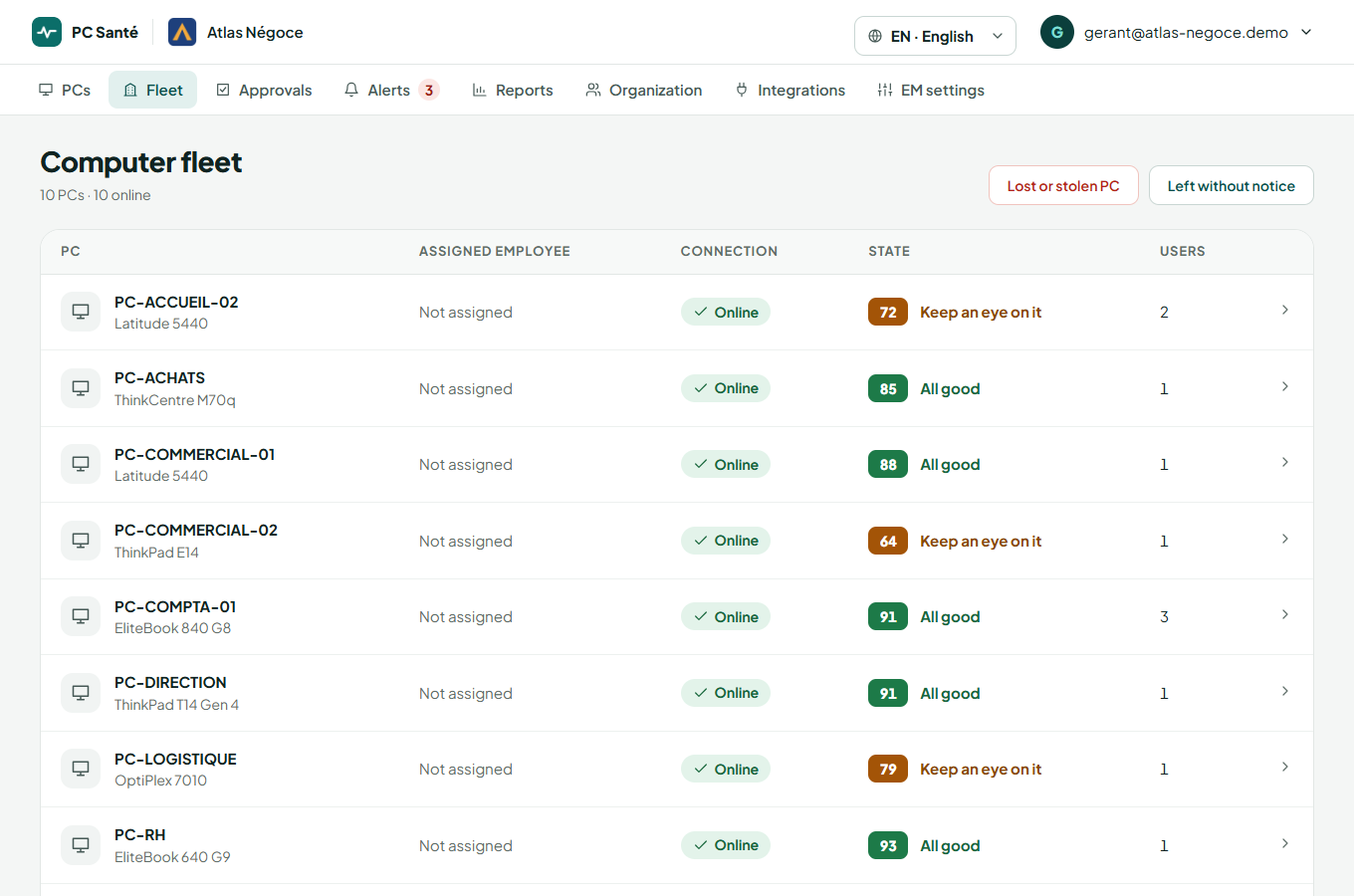
Fleet and inventory
Every PC, its model and the person using it
The inventory updates itself. For each PC you also see its security status and its list of administrators.
- The hardware: model, serial number, Windows version.
- Online or not: you know which PCs are on and which have stopped reporting.
- The assigned employee: who uses which PC, recorded once and for all.
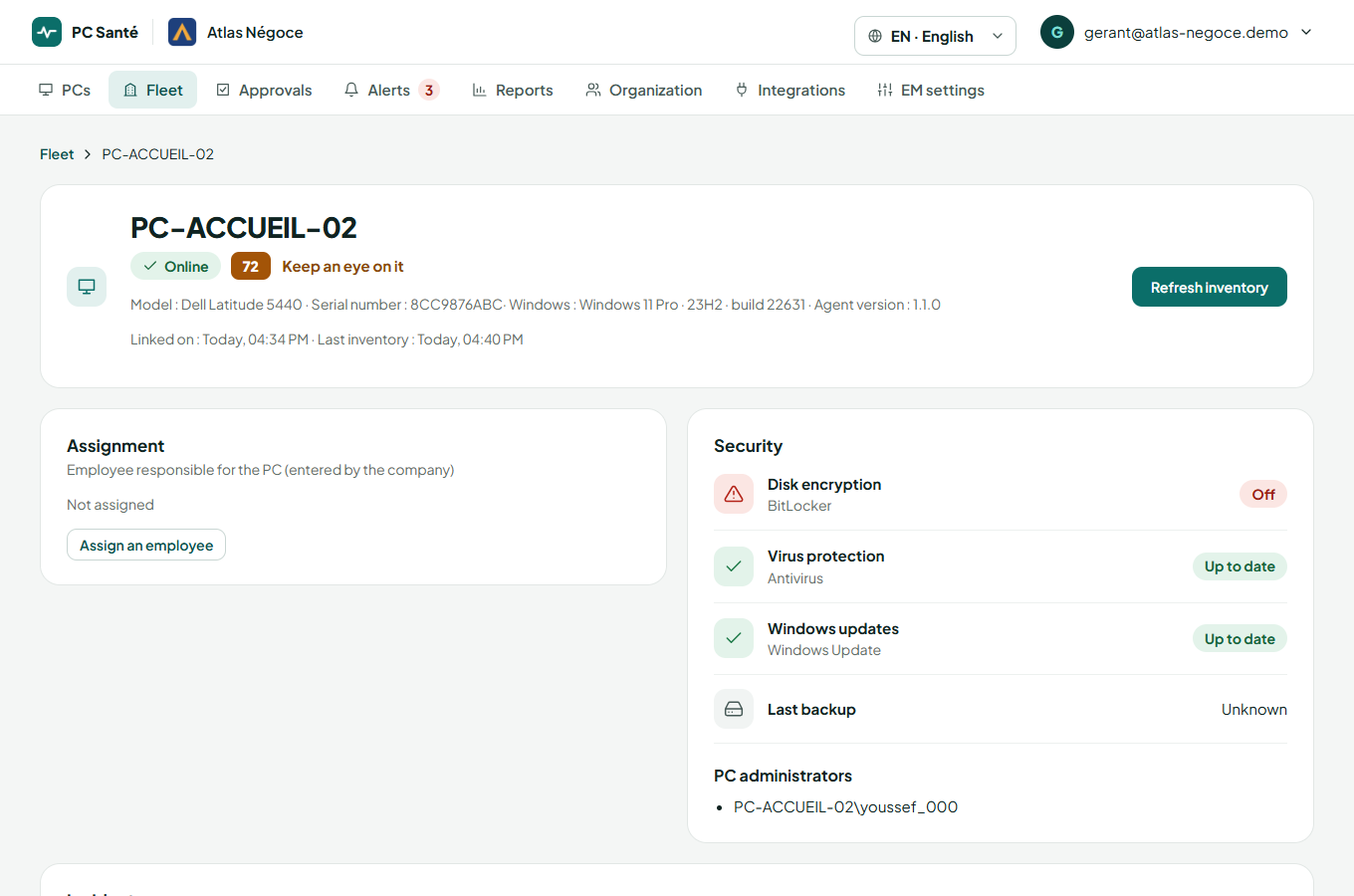
Users and access
Local accounts and administrators
See the accounts on each PC and its administrators. Remotely lock or unlock an account, or sign it out.
An employee leaves
An employee leaves, even without notice? Cut off their access in a few clicks. Everything that was done stays on record: what, when and by whom.
21 reports
On top of the console reports: accounts per PC, administrators, assignments, departures and access removal, security compliance, command history, exchanges with ALTIVAX Keys, and other fleet checks.
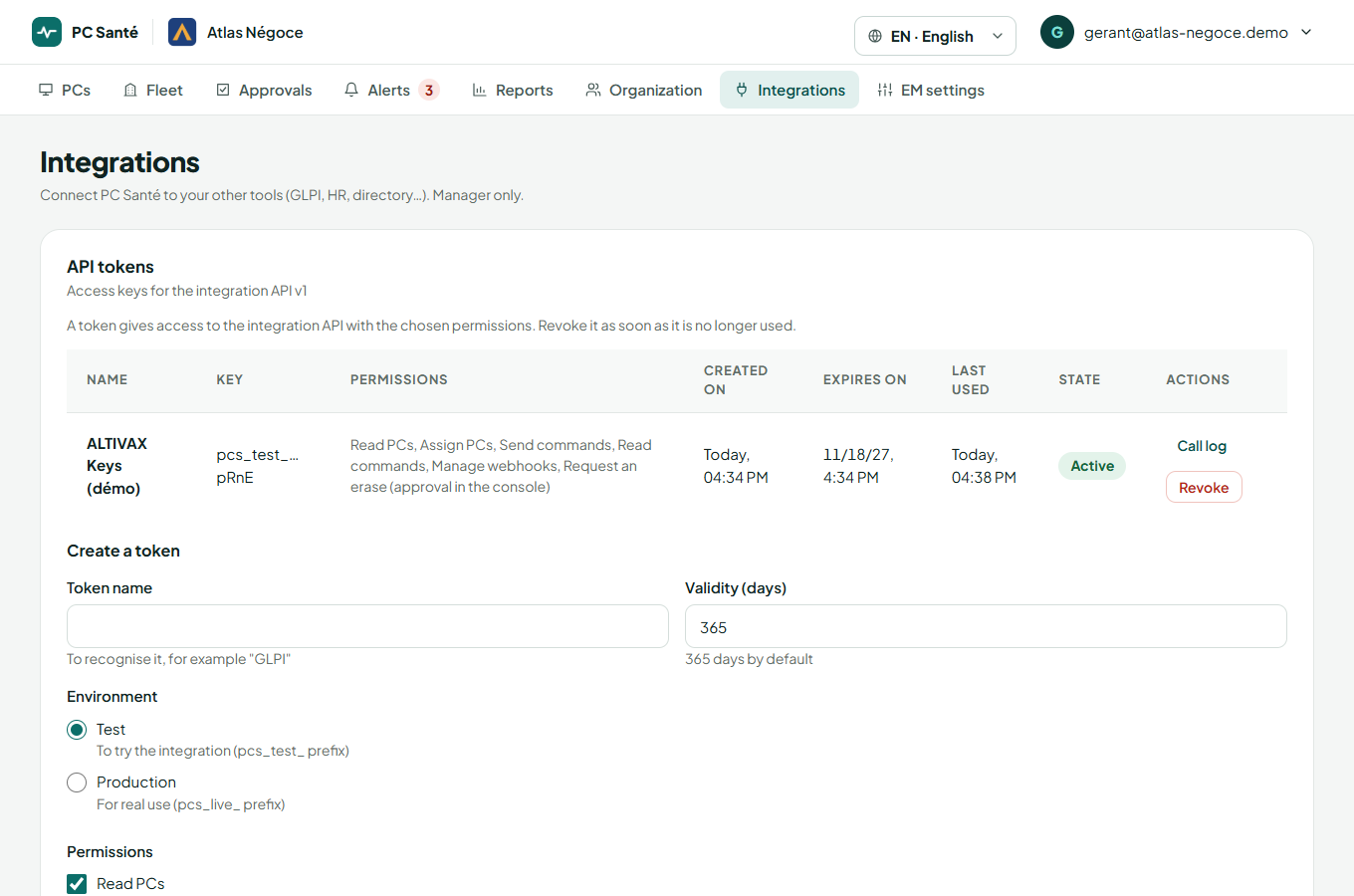
Integrations
Connected to your other tools, starting with ALTIVAX Keys
PC Santé talks to your management tools: inventory (GLPI), human resources, directory. Each tool gets its own access, limited to what it needs and revocable at any time. Every exchange is recorded.
Token-secured API · automatic notifications (“webhooks”)
Command security
The PC only obeys your console
Signed
Every command is signed by the console and checked by the PC before it acts.
Digital signature
Planned in advance
The PC only carries out actions known in advance, never a program sent from outside.
Closed list of commands
Recorded
Who asked for what, when, and with what result: it is all in the log.
Audit log
Option · on top of Endpoint Management Coming soon
Incident response: a lost or stolen PC, or an employee who left without notice
- Lost mode: the PC shows a message with the number to call and blocks its accounts. As soon as it is back online, the console tells you, with the time and the IP address.
- Browser sign-out: on this PC, websites are signed out and saved passwords and cookies erased. Bookmarks are kept.
- Disk protection (BitLocker, Windows Pro): turn it on, change the key or lock the disk remotely. The recovery key is kept encrypted by the console.
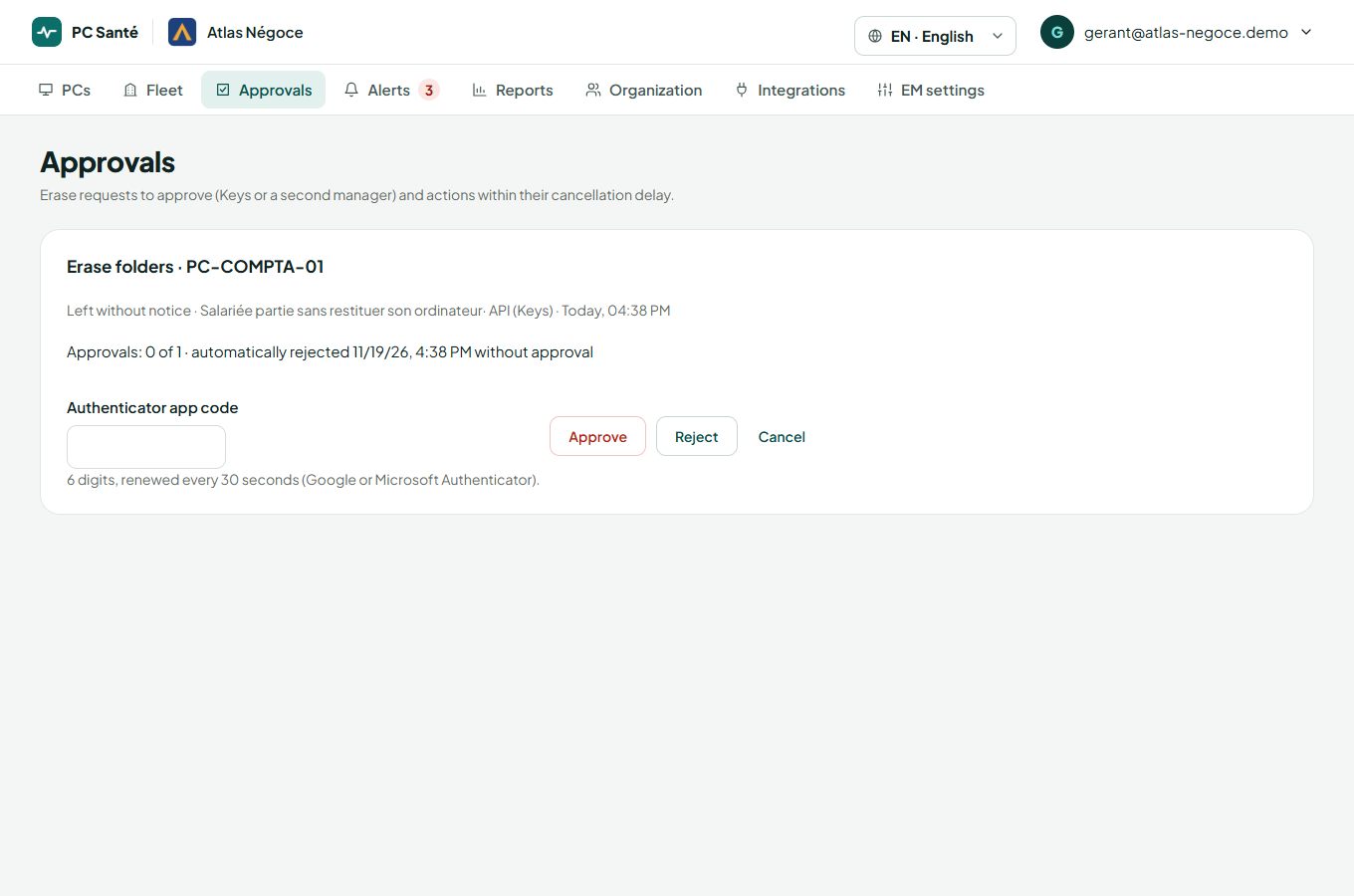
- Folder erasing: empty the chosen folders (Documents, Desktop, Downloads…) or your own folders, which can also be removed.
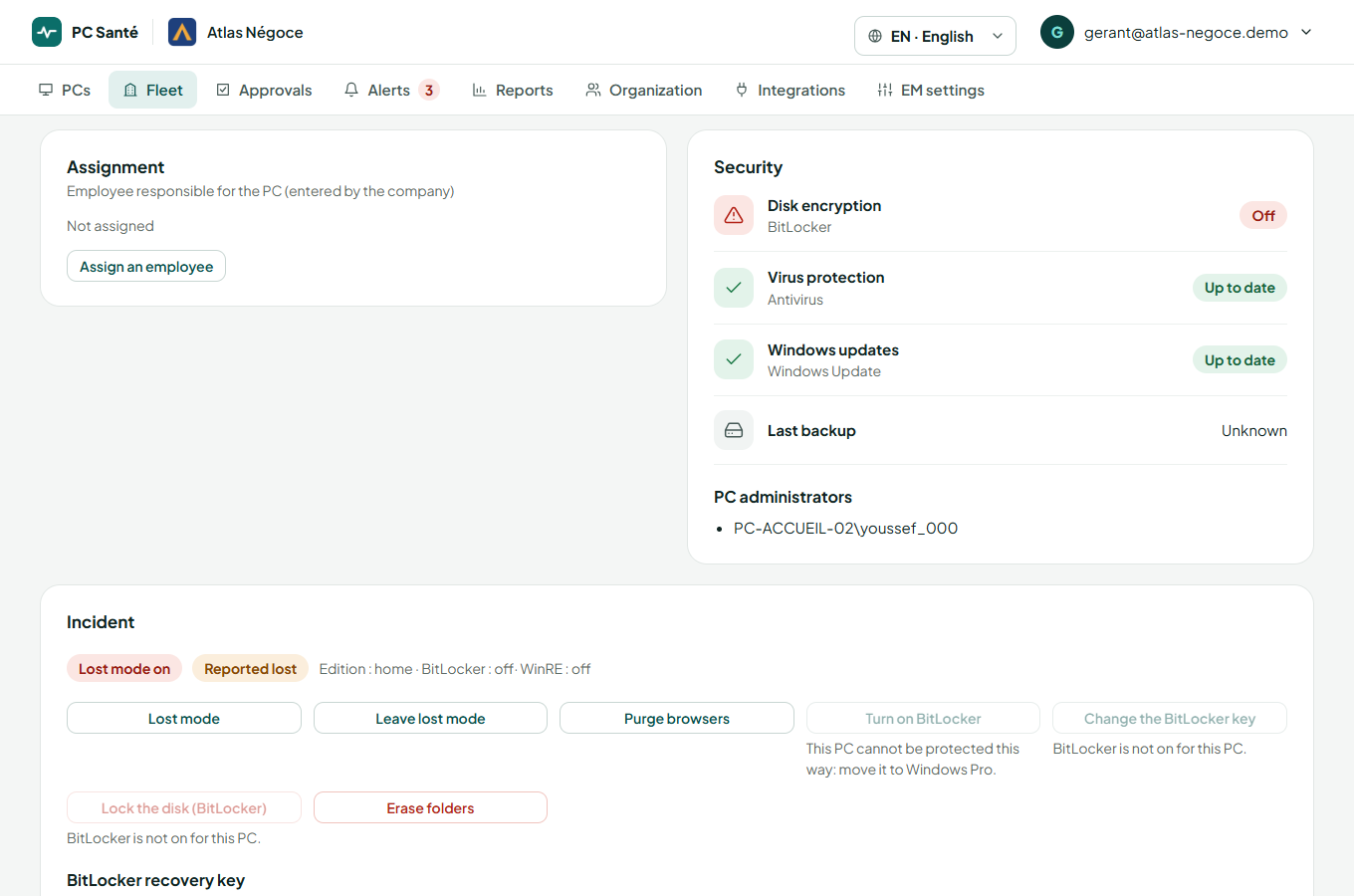
Coming soon
Safeguards
Nothing irreversible by mistake
- The code from your phone for every sensitive action (two-step verification).
- A cancellation delay before any erasing.
- Two approvals if you wish: a second manager must approve.
- Your approval first: an erase request from ALTIVAX Keys waits for your approval in the console.
Bundle
PC Santé Endpoint Management + ALTIVAX Keys
The two products work together. A bundle is possible: let’s discuss it during the demo.
Pricing
| Price per PC per year, excl. VAT | 5 to 24 PCs | 25 to 99 PCs | 100 PCs and more |
|---|---|---|---|
| PC Santé Endpoint Management | 279 MAD | 249 MAD | On quote |
| With the Incident response option | 349 MAD | 319 MAD | On quote |
| Endpoint Management + ALTIVAX Keys bundle | On quote | ||
Prices excluding VAT, 5 PCs minimum. The PC Santé Business console on its own starts at 179 MAD excl. VAT per PC per year: see Business pricing.
Frequently asked questions
What does the company see on its employees’ PCs?
Only the PC’s status, its inventory (model, serial number, Windows version) and the list of accounts. Never the files, the websites visited, what is typed on the keyboard or the screen. The list of users is only collected if the company turns it on, after informing its employees (Moroccan law 09-08).
What happens if a PC is stolen?
Today, Endpoint Management lets you remotely lock the PC’s accounts. The Incident response option, coming soon, will let you report it lost or stolen in the console: as soon as it is switched on and connected to the Internet, it will show your message and block its accounts, and the console will alert you with the time and the IP address. You will also be able to sign out the browsers, lock the disk or empty the chosen folders, with the code from your phone for every sensitive action.
Can PC Santé be connected to our tools?
Yes. PC Santé Endpoint Management connects to your other tools (inventory, human resources, directory), starting with ALTIVAX Keys. Each tool has its own access, limited and revocable, and every exchange is recorded. An erase request from another tool always waits for your approval.
Request a demo
An advisor calls you back, reviews your PCs and shows you the console.